
Admissions
Move enquiries, applications and enrolment into one organized flow.
School Management ERP Software
Manage admissions, student information, attendance, fees, examinations, staff, transport, communication, reporting and multi-school operations with role-aware access.
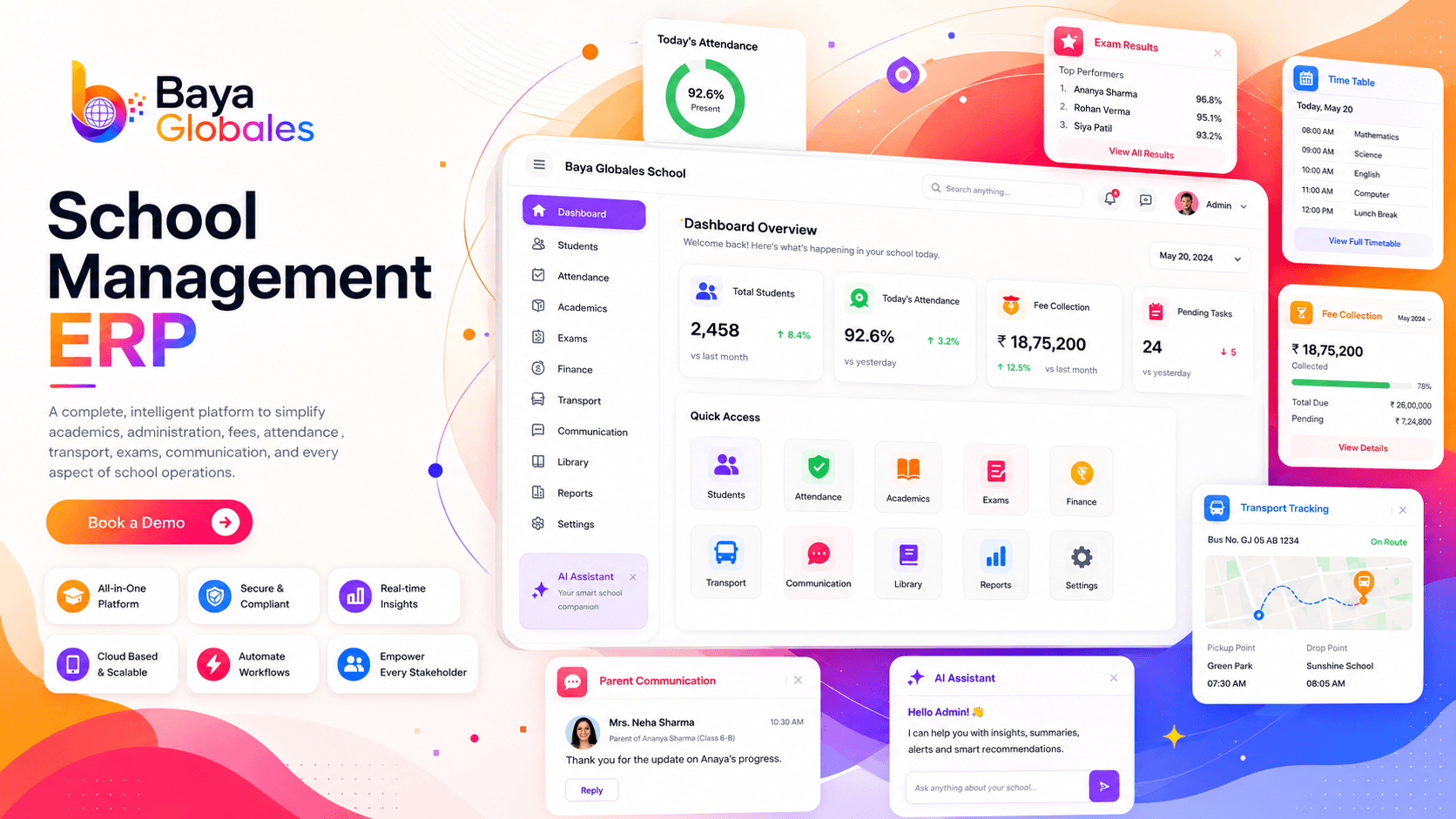
Complete school operations
Baya Globales connects the administrative, academic, finance, communication and supporting workflows that schools coordinate every day. Each role receives a focused way to work, while leadership gains a clearer operational picture.
Complete module set
Use the modules relevant to your current priorities and maintain one consistent information model as your workflows expand.
Move enquiries, applications and enrolment into one organized flow.
Keep permitted student records, documents and academic context easy to locate.
Record daily attendance and give authorized teams a clear operational view.
Structure fee collection, balances and school finance workflows.
Plan examinations, enter results and organize reporting workflows.
Coordinate classes, sections, subjects, terms and daily schedules.
Support teacher and staff records with role-aware access.
Keep routine school-to-home communication connected to school operations.
Organize routes, vehicles and transport-team workflows.
Bring supporting campus operations into the same management environment.
Turn permitted operational data into useful, role-relevant reports.
Maintain clear school boundaries while giving leadership a connected view.
Six applications
Access is shaped around the user's responsibilities and permitted workflows.
Coordinate admissions, people, academics, communication and operations.
Reach permitted class, student, attendance and academic workflows.
Access the school information and workflows made available to their role.
Stay connected to permitted attendance, communication and school updates.
Work with route and transport information relevant to daily operations.
Manage permitted fee, reporting and administrative workflows.
24×7 AI Assistant
Authorized users can ask routine product questions, locate permitted records, understand common workflows and identify relevant reports. The assistant follows role and permission boundaries and does not replace responsible human decisions.
Multi-school management
Organize multiple schools or campuses under a consistent administrative structure while helping local teams stay focused on their school-level responsibilities.
Benefits
The goal is not more software. It is clearer work, better coordination and useful context for the people responsible for running the institution.
Replace fragmented handoffs with connected, role-aware information.
Standardize recurring workflows and reduce avoidable manual coordination.
Help authorized users find records, reports and next steps without guesswork.
Give each stakeholder a focused experience instead of one overloaded dashboard.
School ERP access
Start free, create your school workspace and get full access from day one. No card is required, and our team can help configure the essential school structure, user roles and core settings.
Start FreeImplementation
A clear implementation sequence helps teams move from intent to practical adoption.
Identify the roles, modules and operating priorities that matter first.
Set up the school structure, permissions and relevant modules.
Organize relevant data and validate key workflows with your team.
Begin daily use with a clear path for feedback and expansion.
Security & permissions
Configure role-based access around responsibilities, maintain appropriate school boundaries and ensure the AI Assistant works only within the authorized user's permitted context.
FAQ
Clear answers for teams evaluating Baya Globales.
It brings admissions, student information, attendance, fees, examinations, staff, transport, communication and related school operations into one connected platform.
Yes. You can create your school account and begin using the platform without entering card details.
Yes. New users can begin with full access to the available School ERP experience from day one.
Yes. We can help configure the essential school structure, user roles and core settings required to get started.
No internal IT team is required to begin. The implementation process is designed around discovery, configuration, data preparation, role setup and guided adoption.
Yes. Multi-school workflows are designed to keep each school's operations clear while supporting appropriate group-level visibility and administration.
It helps authorized users navigate modules, locate permitted records, understand common workflows, identify reports and answer routine product questions. Its access follows the user's role and permissions.
Yes. Role-based permissions help ensure that users work only with the modules and information appropriate to their responsibilities.
Ready when you are
Create your school workspace and begin using Baya Globales School ERP with full access from day one. No card is required, and our team can help configure the essentials.